Bypassing Textures: Messing Around With Math in a Low-Poly Side Project
2026-07-12
Every time I start a new game development side project, I run into the same old bottleneck: assets. Specifically, 3D modeling and textures.
As someone who is heavily habituated to Vim, keyboard-driven workflows, and staying inside a text editor, opening up a massive, mouse-heavy GUI like Blender feels entirely unnatural. I don't want to wrestle with UV maps, sculpt brushes or massive texture atlases just to experiment with infinite worlds.
So, for this latest Unity project, I decided to take the ultimate developer shortcut: I bypassed Blender and the entire texture pipeline completely.
The entire world from the rolling grass hills to the rocks and vegetation uses zero kilobytes of texture memory and zero traditional 3D models. Instead, it relies entirely on procedural mesh generation written directly in C#, a little bit of noise math, and a custom Universal Render Pipeline (URP) shader.
Screenshots
Here’s what the world looks like:
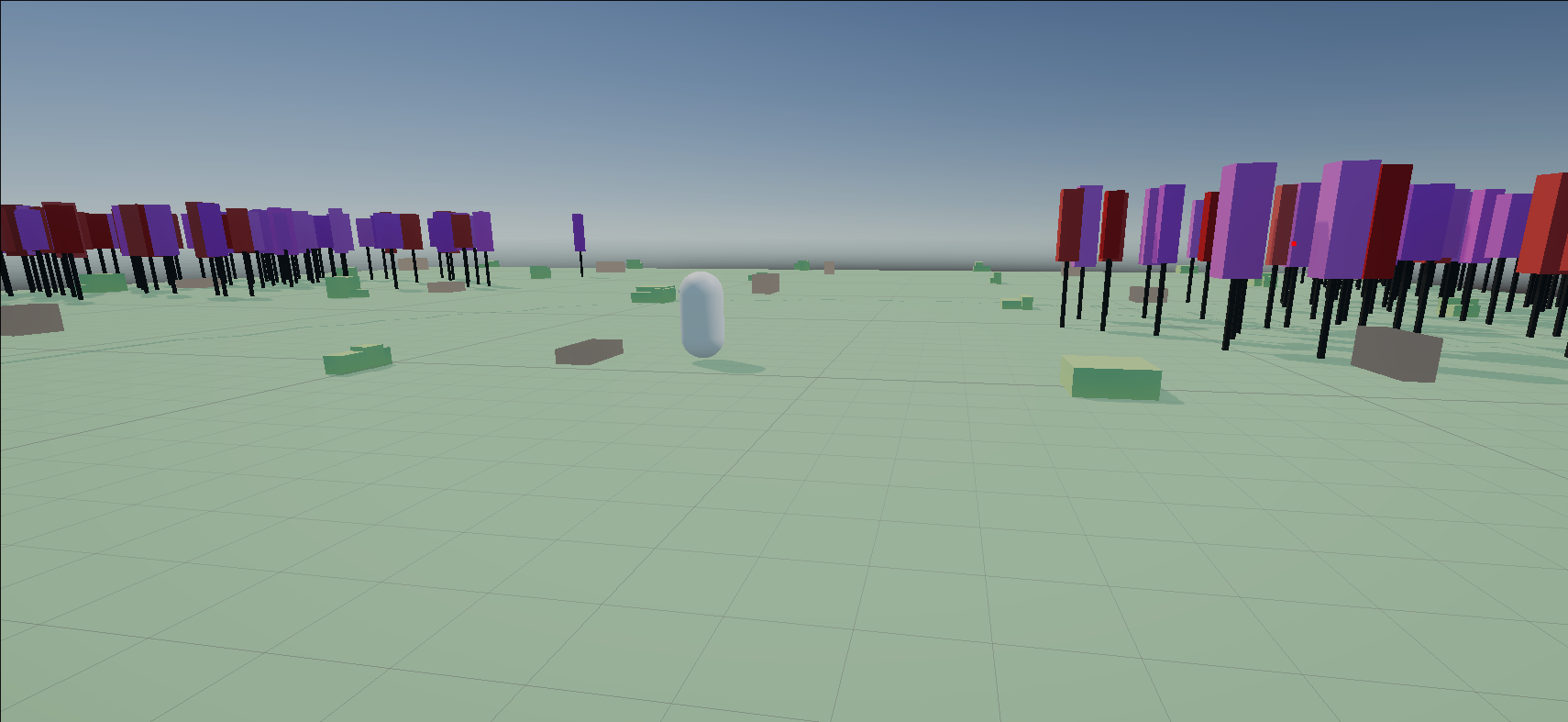
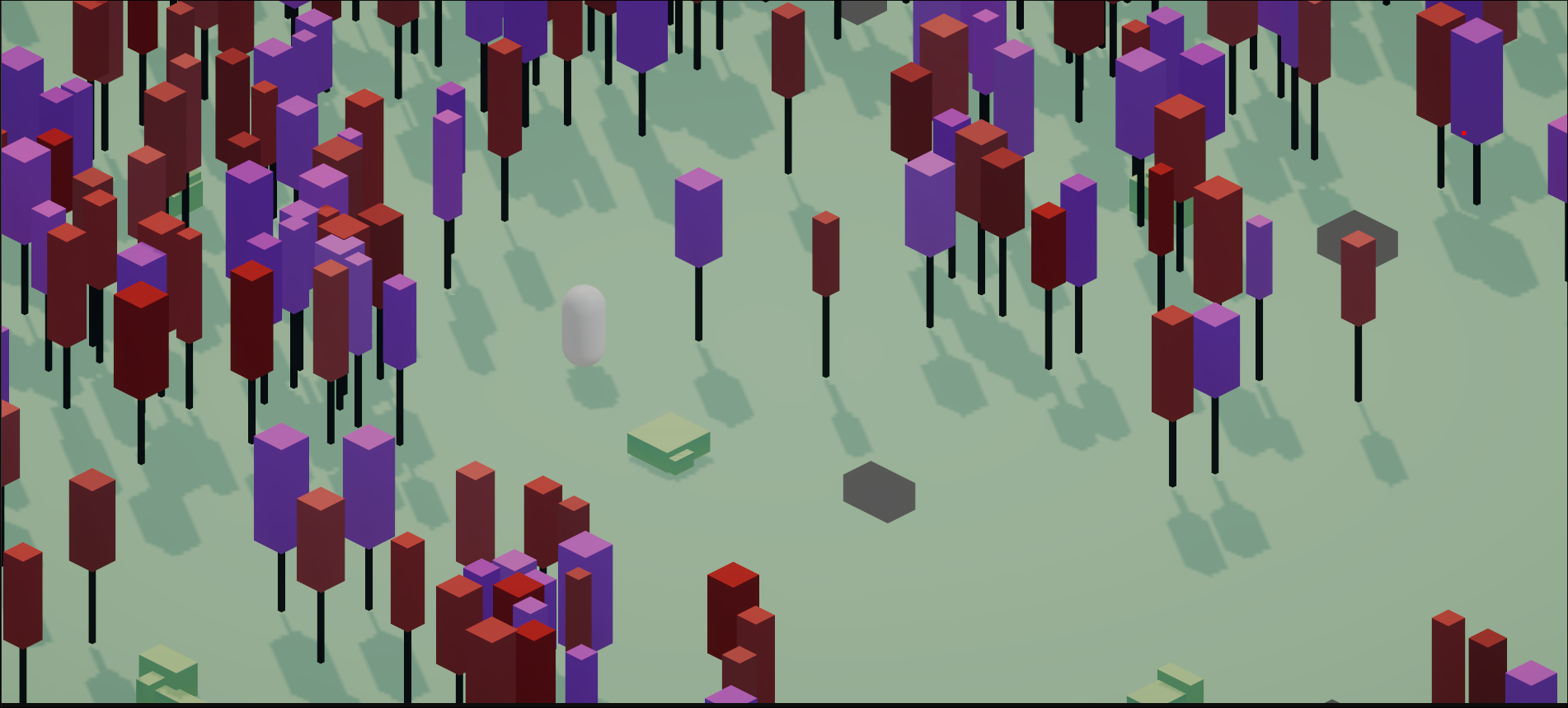
What's New Here?
Procedural terrain isn't new - Perlin noise has been around since the 80s. What's different here is I forced myself to stay entirely in code:
- Zero external assets: No 3D models, no textures, no external tools
- Vertex colors only: 4 bytes per vertex instead of texture lookups
- Keyboard-only workflow: Everything generated via C# scripts
- Ultra-lean memory: 0 bytes of texture VRAM
This isn't about reinventing procedural generation. It's about proving you can build worlds without ever touching 3D modeling software.
Here’s a breakdown of the math experiments and keyboard-only asset pipelines that made it work.
1. The Keyboard-Only Asset Pipeline (Who Needs Blender?)
When you don't use 3D modeling software, your code editor becomes your modeling tool. Every asset here is just vertices and triangles made from basic shapes:
- A Tree Trunk: A tall thin box (
0.2, 2.0, 0.2) - 8 vertices - A Canopy: A bigger box (
1.5, 1.5, 1.5) on top with a random color - Grass Bunches: 2-3 randomized cubes with the bottom face removed
- Rocks: Randomized boxes (width: 0.4–1.7, height: 0.3–1.0, depth: 0.4–1.7) scattered around
2. Coding Grass: Cube-Based Bunches
For grass, I use randomized cube bunches with bottom-face culling:
- 2-3 cubes per bunch, random sizes
- Spread within 0.5 units for a natural look
- Brightened grass color for variety
- Bottom-face culling removes unseen geometry
3. Injected Color: How Vertex Colors Work
In a standard game workflow, a 3D model looks up 2D UV coordinates to sample a color from an image file residing in VRAM. To keep things ultra-lean, I skipped that step and packed color data directly into the mesh’s vertex stream using Color32.
| Attribute | Data Type | Bytes per Vertex |
|---|---|---|
| Position | Vector3 (x, y, z) | 12 bytes |
| Normal | Vector3 (x, y, z) | 12 bytes (I don't even use this!) |
| Color | Color32 (r, g, b, a) | 4 bytes |
Just 4 bytes per vertex, and the GPU naturally interpolates colors across the surface. Smooth gradients on grass and dirt, zero texture lookups.
4. Layering Noise: Fractal Brownian Motion (fBm)
Base Noise: Perlin Noise
For terrain height, I use Perlin noise. It's basically smooth random numbers - unlike pure random which looks like TV static, Perlin noise flows naturally. If you ask it for the height at (x, z), it gives you a value between 0 and 1, and nearby points have similar heights. This makes rolling hills instead of jagged spikes.
White Noise for Prop Placement
For props like rocks and grass, I need something different - white noise. This is completely random with no relation between neighbors. Perfect for deciding "should this tile have a rock?" because each tile makes its own independent decision.
The hash function mixes coordinates and seed with big prime numbers:
int hash = x * 374761393 + z * 668265263 + seed * 1442695041;
hash = (hash ^ (hash >> 13)) * 1274126177;
hash ^= hash >> 16;
return (hash & 0x7FFFFFFF) / (float)int.MaxValue;
Same tile + same seed = same result. Different tiles = different results. This is how the world stays reproducible.
Seed Offsets for Different Worlds
To make different seeds produce different worlds, I offset the noise coordinates based on the seed:
offsetX = Mathf.Sin(seed * 12.9898f) * 43758.5453f % 1000f;
offsetZ = Mathf.Sin(seed * 78.233f) * 43758.5453f % 1000f;
These random-looking numbers (12.9898, 78.233, 43758.5453) are actually pretty standard in procedural generation - they just happen to give good distribution. The % 1000 keeps the offset from getting too wild.
Tree Position Offsets
For placing trees within tiles, I use similar math to get random-looking but consistent positions:
float whiteNoiseHash = Mathf.Abs(Mathf.Sin(worldX * 12.9898f + worldZ * 78.233f) * 43758.5453f) % 1f;
float offsetX = Mathf.Abs(Mathf.Cos(worldX * 45.23f + worldZ * 12.81f) * 2345.67f) % 1f;
float offsetZ = Mathf.Abs(Mathf.Sin(worldX * 93.71f + worldZ * 31.41f) * 5678.91f) % 1f;
This keeps trees from all spawning in the exact center of every tile while still being deterministic.
Layering Octaves
Single-layer Perlin noise looks boring - like perfectly symmetrical sand dunes. Real terrain has detail at different scales, so I layer multiple noise "octaves" on top of each other. This is called Fractal Brownian Motion (fBm).
The formula for height at position (x, z) with n octaves:
Each octave has different amplitude () and frequency ():
I used 4 octaves, persistence of 0.5 (height halves each layer), and lacunarity of 2.0 (detail doubles each layer). Since layering pushes values past 0-1, I normalize by the max possible amplitude:
5. Water and Cliff Walls
The terrain isn't just grass - there's water too, with cliff edges where land meets water:
Water System
- Water tiles are where noise is below 0.25
- Flat water quads at height -0.5
- Separate mesh layer with transparency
- No collider (you can walk through it)
Cliff Wall Generation
- Vertical walls where land meets water
- Checks 4 neighbors (N, S, E, W) for water
- Walls go from water height up to land height
- Colored like dirt for a natural look
- Stops terrain from floating over water
6. Chunk-Based World Management
To keep the world infinite without eating all your RAM, I split it into chunks:
Chunk System
- Each chunk is 16×16 tiles (16 units wide)
- Player position determines which chunks are needed
WorldManagerspawns chunks within radius 2- Chunks outside radius get destroyed
- Only 25 chunks active at once (5×5 grid)
Deterministic Generation
- Chunks use seed-based noise so they're reproducible
- Same seed = same world every time
- Infinite worlds, tiny saves (just one integer)
What This Side Project Proved
Sticking to code instead of Blender actually gave some nice performance benefits:
- Dynamic Batching: Since everything uses vertex colors instead of different textures, the GPU can batch huge sections together in few draw calls
- Tiny Memory Footprint: The project uses 0 bytes of texture VRAM for the environment
- Infinite Worlds, Tiny Saves: The whole world comes from noise formulas and a seed, so you don't save coordinates - just one integer
It started as an experiment to stay in my comfort zone (writing code, not pushing pixels), but it turned into a clean, fast way to generate infinite worlds!