arch linux rice log: minimal, distraction-free hyprland workspace
2026-07-26
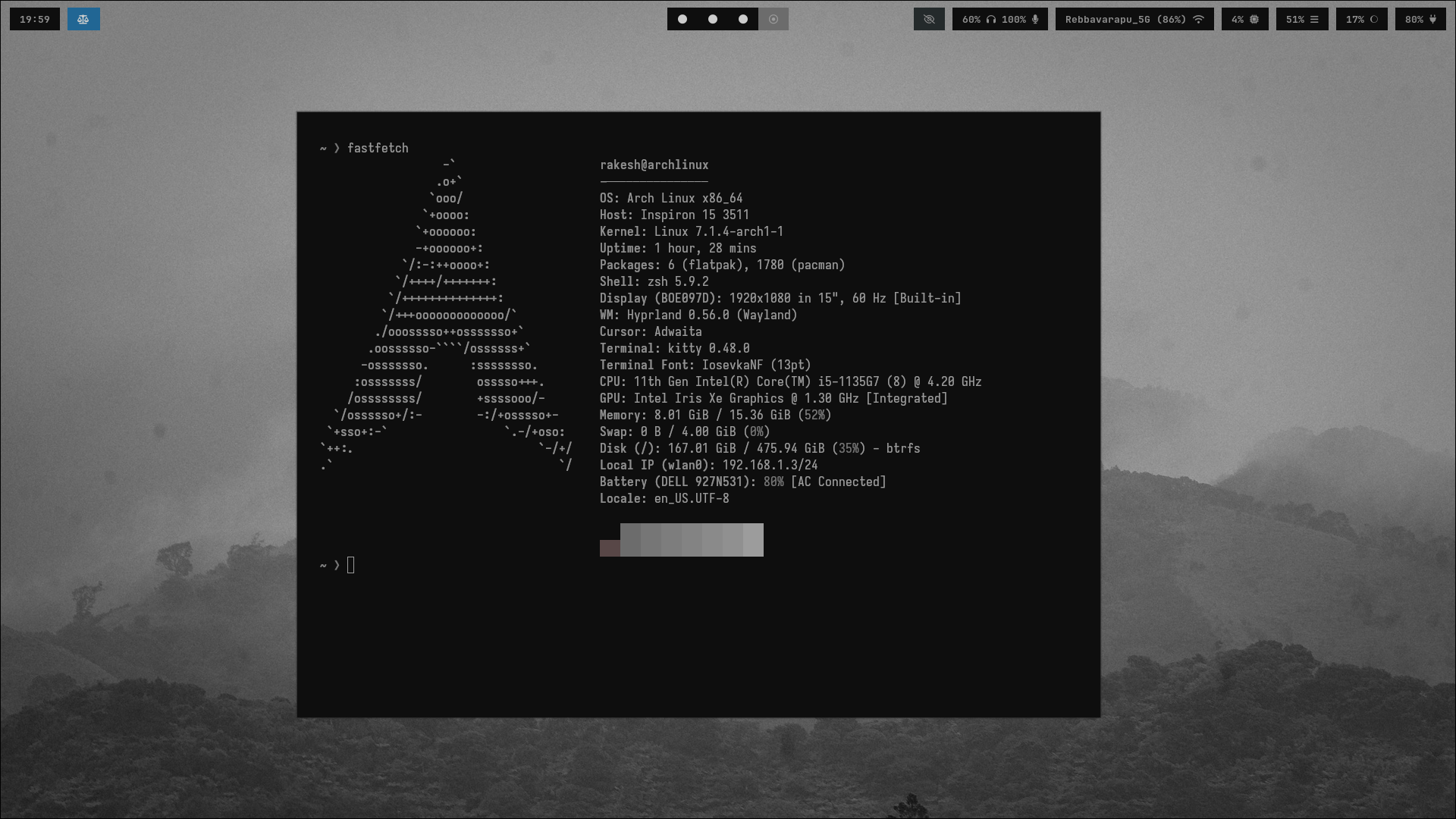
I spent a lot of time tweaking desktop environments before realizing what I actually wanted: a workspace that completely gets out of the way. No floating windows cluttering the screen, no heavy desktop widgets, no mouse-chasing, and no visual noise when I am trying to focus on code or text.
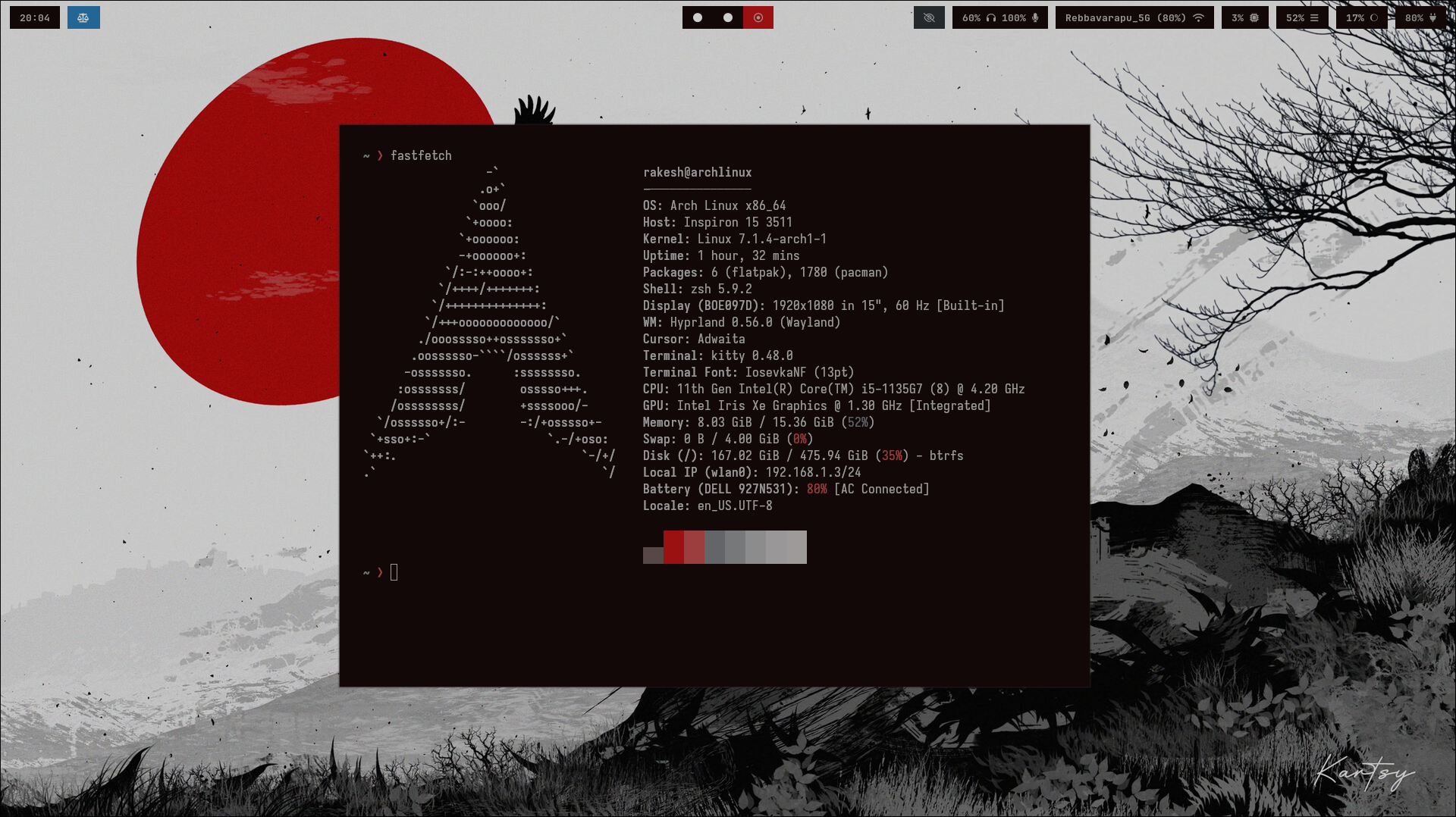
This log breaks down my current Arch Linux setup: the philosophy behind the minimal aesthetic, how I keep it distraction-free, and how tools like Hyprland, Waybar, Neovim, Rofi, and my setwall script fit together.
Workspace philosophy: zero clutter
The goal of this rice isn't just to look pretty on reddit; it's to build an environment where I can stay in flow:
- Keyboard-first navigation: Mouse usage is minimized. Workspace switching, window movement, app launching, and theme changes happen through keybindings.
- Minimal UI noise: Waybar shows only what I need to see (workspaces, active window, battery, network, clock). Everything else stays hidden until called up.
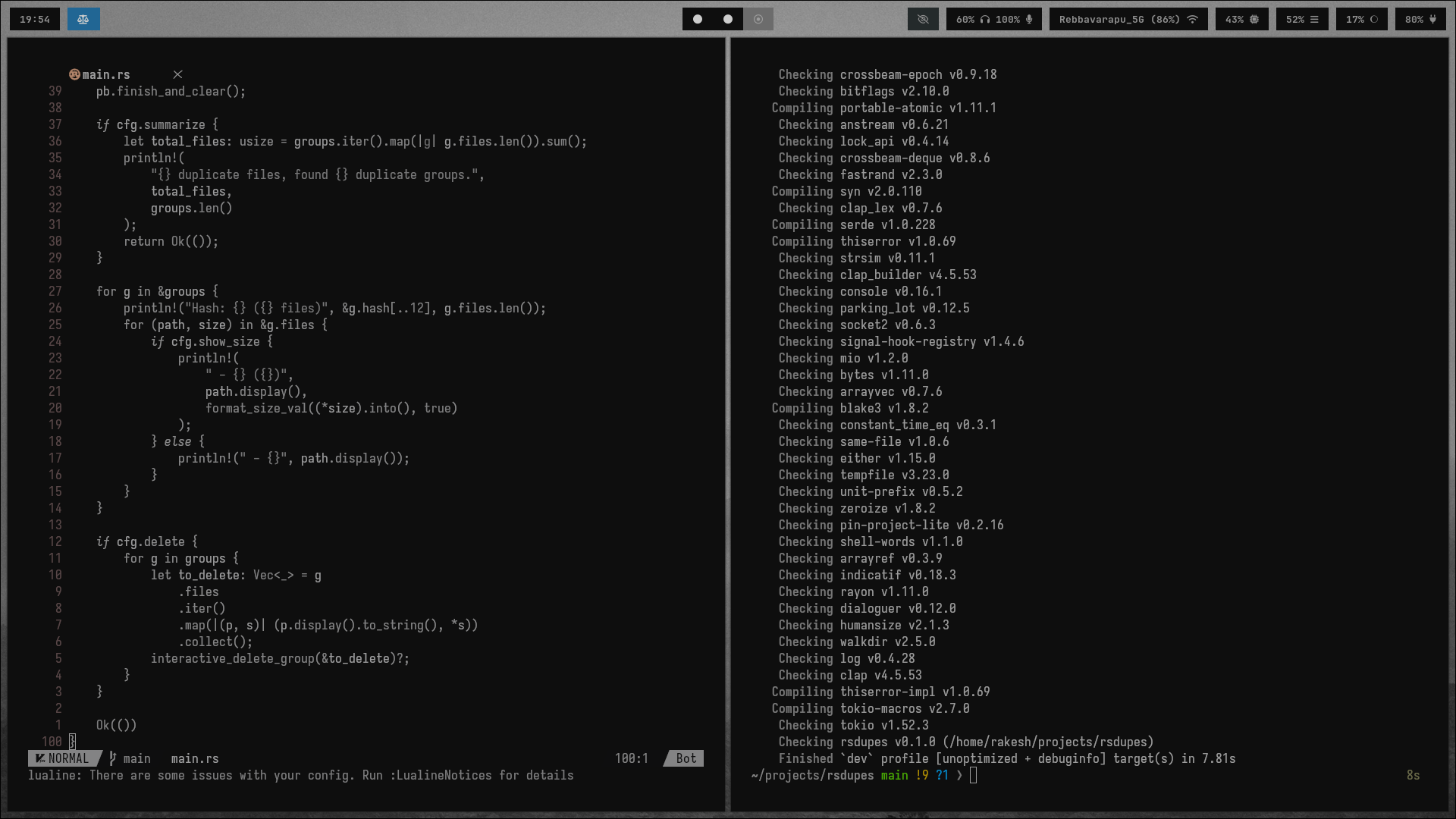
- Focused editor environment: Neovim inside a fast terminal (Kitty) replaces heavy IDE GUIs.
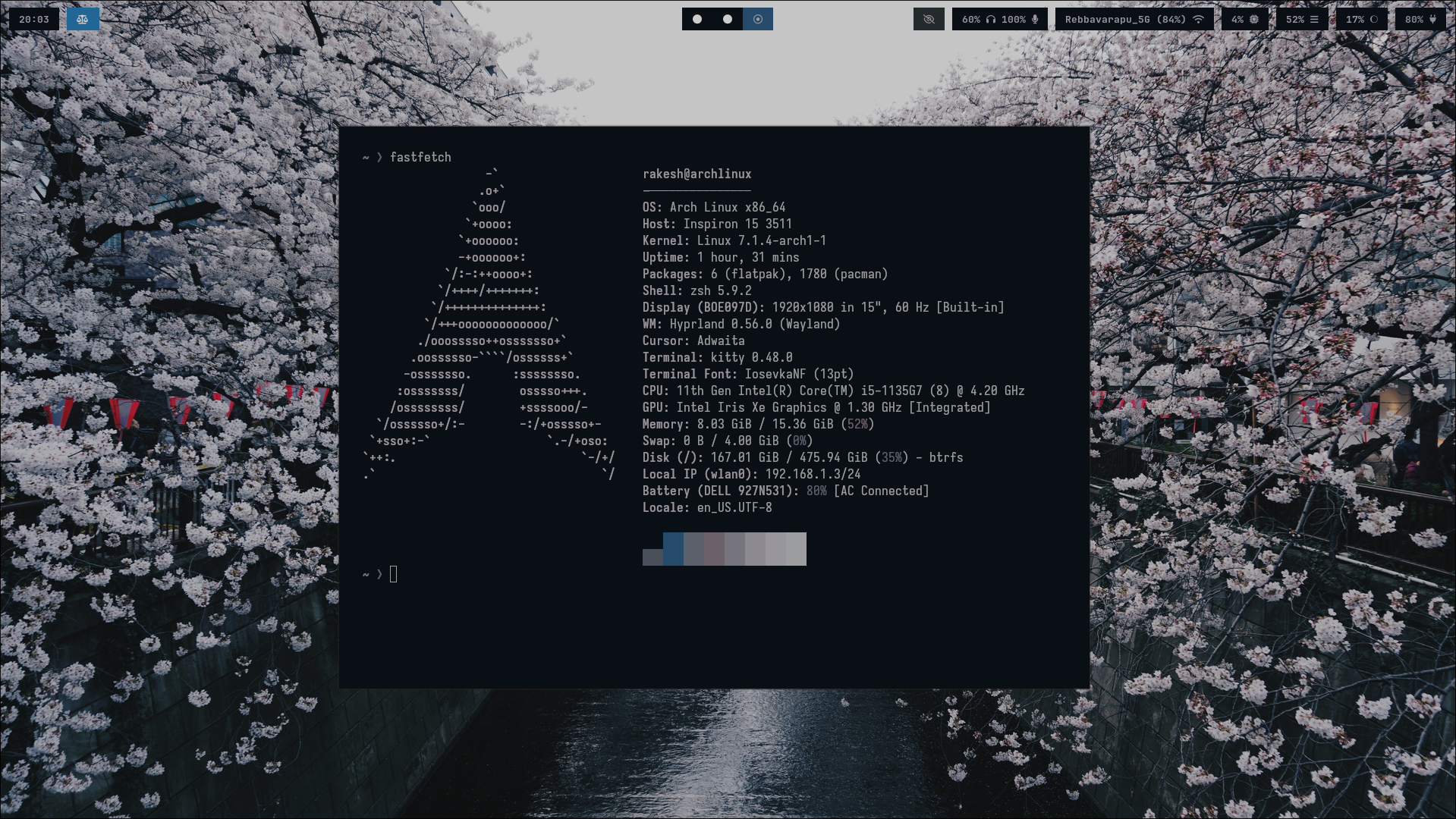
- Cohesive aesthetics: Changing wallpapers shouldn't break visual harmony. Dynamic palette matching makes the desktop feel unified without manual theme editing.
The setup stack
- Arch Linux: Lean base system where I pick every single package running on the machine.
- Hyprland: Smooth Wayland tiling compositor. Automatic window tiling keeps the screen organized without manually resizing or arranging windows.
- Waybar: Lightweight GTK status bar positioned at the top, styled strictly with CSS.
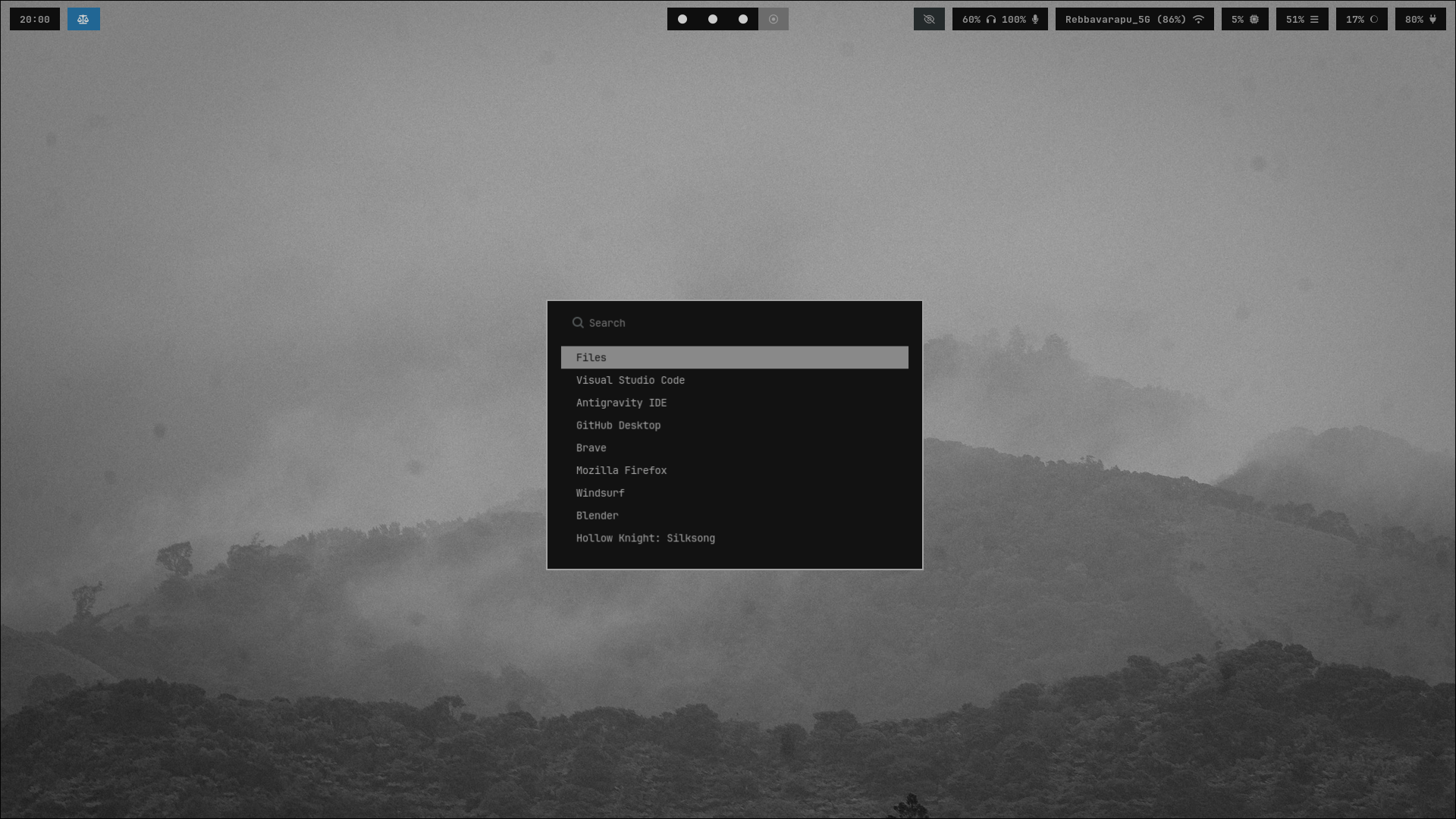
- Rofi (Wayland): Application launcher, window switcher, and prompt menu.
- Kitty + Neovim: My primary terminal and code editor setup. Fast, extension-free bloat, and fully theme-aware.
- Awww + Pywal (
setwall): My script layer that extracts wallpaper palette colors and hot-reloads window borders, bar styling, Rofi, and terminal colors.
Keeping it distraction-free
Tiling without window chaos
Hyprland handles layout management automatically. When I open a terminal or editor, it tiles logically. I keep clean window gaps (5px) so windows don't feel crammed, but there are no bloated window title bars or minimize/maximize buttons taking up screen real estate.
Keybindings keep movement instantaneous:
Super + Qto launch terminalSuper + Cto kill active windowSuper + Rto open Rofi launcherSuper + 1-9to jump between workspaces
Clean launcher interface
Instead of application menus, Rofi pops up instantly at the center of the screen when triggered, launches whatever app or script I need, and vanishes.
Dynamic theming with setwall
Even with a minimal setup, visual consistency matters. Every time I pick a new wallpaper, I don't want to edit five separate CSS and config files.
I wrote a small script called setwall that automates wallpaper changes and color extraction using Pywal:
#!/bin/bash

WALL="$1"

# Safety check
[ -z "$WALL" ] && {
    echo "Usage: $0 <wallpaper>"
    exit 1
}

# Set wallpaper
awww img "$WALL" --transition-type any

# Generate Pywal colors
wal -i "$WALL"

# Update Hyprland border colors using pywal colors
if [ -f "$HOME/.config/hypr/update_borders.sh" ]; then
    bash "$HOME/.config/hypr/update_borders.sh"
fi

# Flatten Pywal colors into GTK-compatible CSS
GTK_CSS="$HOME/.cache/wal/custom-gtk.css"
cp "$HOME/.cache/wal/colors-gtk.css" "$GTK_CSS"

# Replace variables in GTK CSS with actual hex values
sed -i \
    -e "s/@background/$(grep 'background' $HOME/.cache/wal/colors-gtk.css | cut -d' ' -f3)/g" \
    -e "s/@foreground/$(grep 'foreground' $HOME/.cache/wal/colors-gtk.css | cut -d' ' -f3)/g" \
    -e "s/@color0/$(grep 'color0' $HOME/.cache/wal/colors-gtk.css | cut -d' ' -f3)/g" \
    -e "s/@color4/$(grep 'color4' $HOME/.cache/wal/colors-gtk.css | cut -d' ' -f3)/g" \
    "$GTK_CSS"

# Reload Waybar
pkill waybar
sleep 0.1
waybar &

# Reload Hyprland
hyprctl reload
How borders update live
In update_borders.sh, the script reads the newly extracted color palette and passes active border colors directly into Hyprland without needing to restart the compositor:
#!/bin/bash
source "$HOME/.cache/wal/colors.sh"

COLOR1=$(echo $color1 | sed 's/#//')
COLOR2=$(echo $color2 | sed 's/#//')

hyprctl keyword general:col.active_border "rgba(${COLOR1}ff) rgba(${COLOR2}ff) 45deg"
Waybar imports @import url("../../.cache/wal/colors-waybar.css"); and Rofi imports @import "~/.cache/wal/colors-rofi-dark.rasi". Neovim inherits the terminal color sequence directly, so the entire setup updates dynamically in sub-second time.
Final thoughts
A good rice isn't about how many widgets or animations you can stack on your screen; it's about stripping away unnecessary friction. This setup gives me a fast, keyboard-first environment that stays clean, distraction-free, and visually consistent every day.